My proportions always look wrong
You sketch carefully, but the eyes are misaligned, the perspective is skewed, and no matter how hard you try, the result never matches the reference.
Stop struggling with proportions! Instantly turn any reference photo into a perfectly scaled tile grid, apply artistic filters, and learn to sketch with total confidence.

Free to download · iOS & iPadOS · No account required
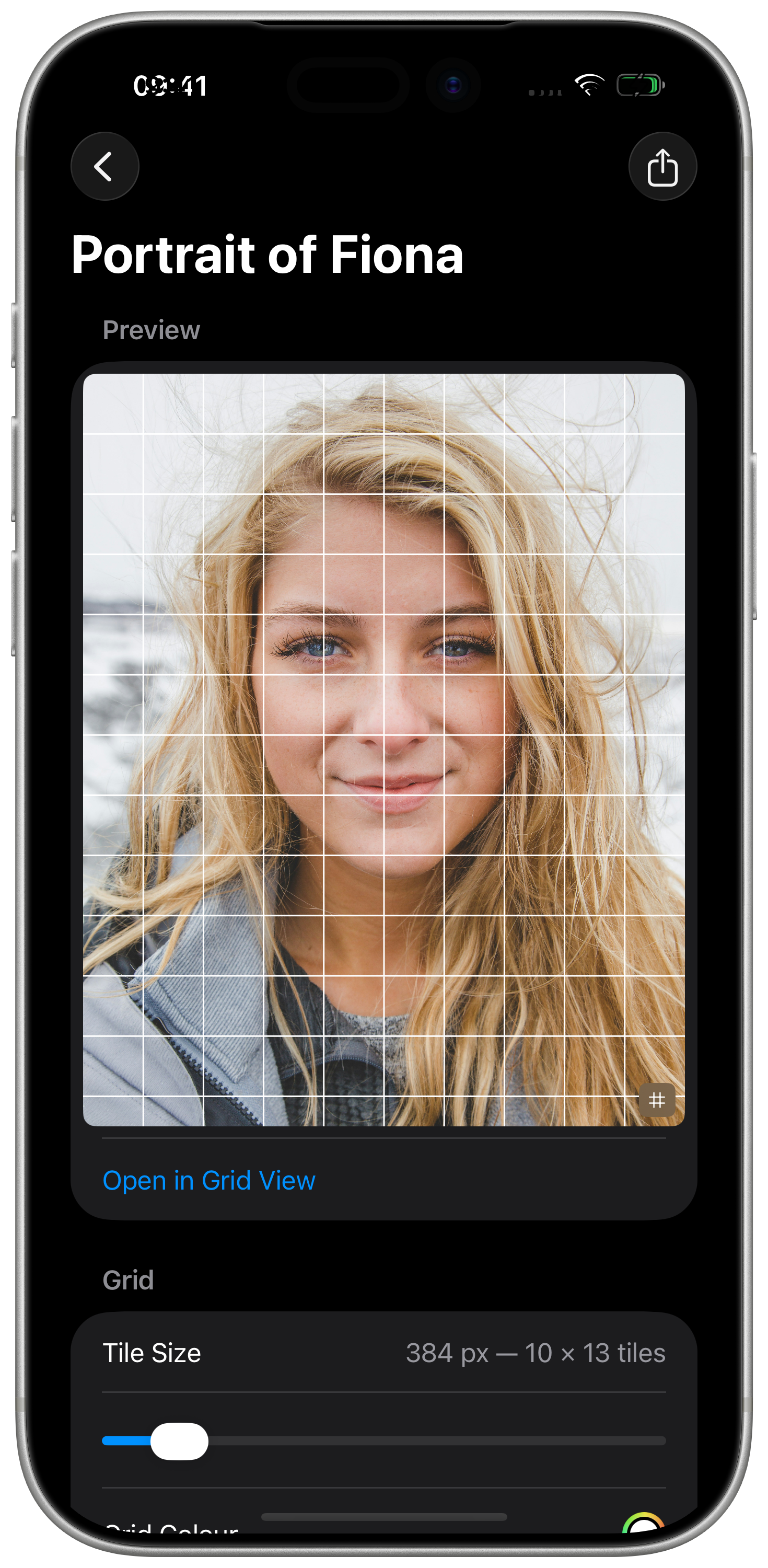
Photo by Connor Wilkins on Unsplash
You sketch carefully, but the eyes are misaligned, the perspective is skewed, and no matter how hard you try, the result never matches the reference.
Staring at a complex reference photo and a blank canvas at the same time is overwhelming. You don't know where to start, so you don't start at all.
Rulers, calculators, pencil lines, erasers. Setting up a physical grid takes 20 minutes and still comes out uneven. There has to be a better way.
Tilewise digitizes the centuries-old grid method — and adds the analytical tools that art school never taught you.
Any photo, any aspect ratio. Tilewise calculates mathematically flawless square tiles instantly — no ruler, no calculator, no math.
Double-tap any tile to zoom it full-screen. Block out the rest and focus on drawing just one manageable shape at a time.
Grayscale strips distracting colour. Find Contours isolates edges. Posterize simplifies shading into clean blocks. Train your eye to see instead of guess.
Subtle marks divide each tile's walls into halves and quarters, showing you precisely where lines enter and exit — for accuracy down to the millimetre.
Flip your reference horizontally. Your brain stops seeing "an eye" and starts seeing raw curves and shapes — the trick professional artists have used for centuries.
Generate high-resolution PDFs and SVGs with a calibrated grayscale value strip and angle alignment fan. Print your grid template and draw at real scale.
Available on iPhone and iPad
Import any reference image from your camera roll. Tilewise reads the aspect ratio and instantly locks in perfect square boundaries.
Adjust grid columns, toggle alphanumeric labels, set line opacity. Double-tap any tile to zoom in and eliminate distractions. Apply a filter to see shapes, not colour.
Replicate the image tile by tile onto your canvas. Or export a print-ready PDF template and sketch at real scale on paper.
Expensive sketchbooks filled with skewed, out-of-proportion sketches you're ashamed to show.
Hours lost to ruler-and-calculator grid setups that still come out uneven.
Convincing yourself you "just can't draw" — and abandoning a hobby that could bring you real joy.
It doesn't have to be this way.
See how Tilewise changes that →Join beginner artists who have stopped fighting proportions and started finishing drawings they're proud of.
Free download · Works on iPhone and iPad · iOS 16+
Tilewise is built by an indie developer who loves both art and software. If it helps you finish a drawing you're proud of, a review on the App Store means the world.
Tilewise is indie-made. If it brings you value, a coffee goes a long way.
Send a message and we'll get back to you.